Self-host
Run Nilda on your own server
One command installs Nilda on a Linux server. You keep your data, and you decide how updates happen.
Terminal, on your server
# Installs Nilda after showing you the licence
curl -fsSL https://nilda.dev/install | sh# Checks your server without installing anything
curl -fsSL https://nilda.dev/install | sh -s -- --checkWhat you need
A small Linux server is enough
The installer checks each of these before it changes anything.
Linux, amd64 or arm64
A server running Linux on either processor type.
At least 2 GB of RAM
Nilda runs with its database, search and browser services.
Docker with Compose
The installer offers to install it if it is missing.
Ports 80 and 443
Free for the web and for HTTPS.
A domain name
One that points at your server.
Your admin
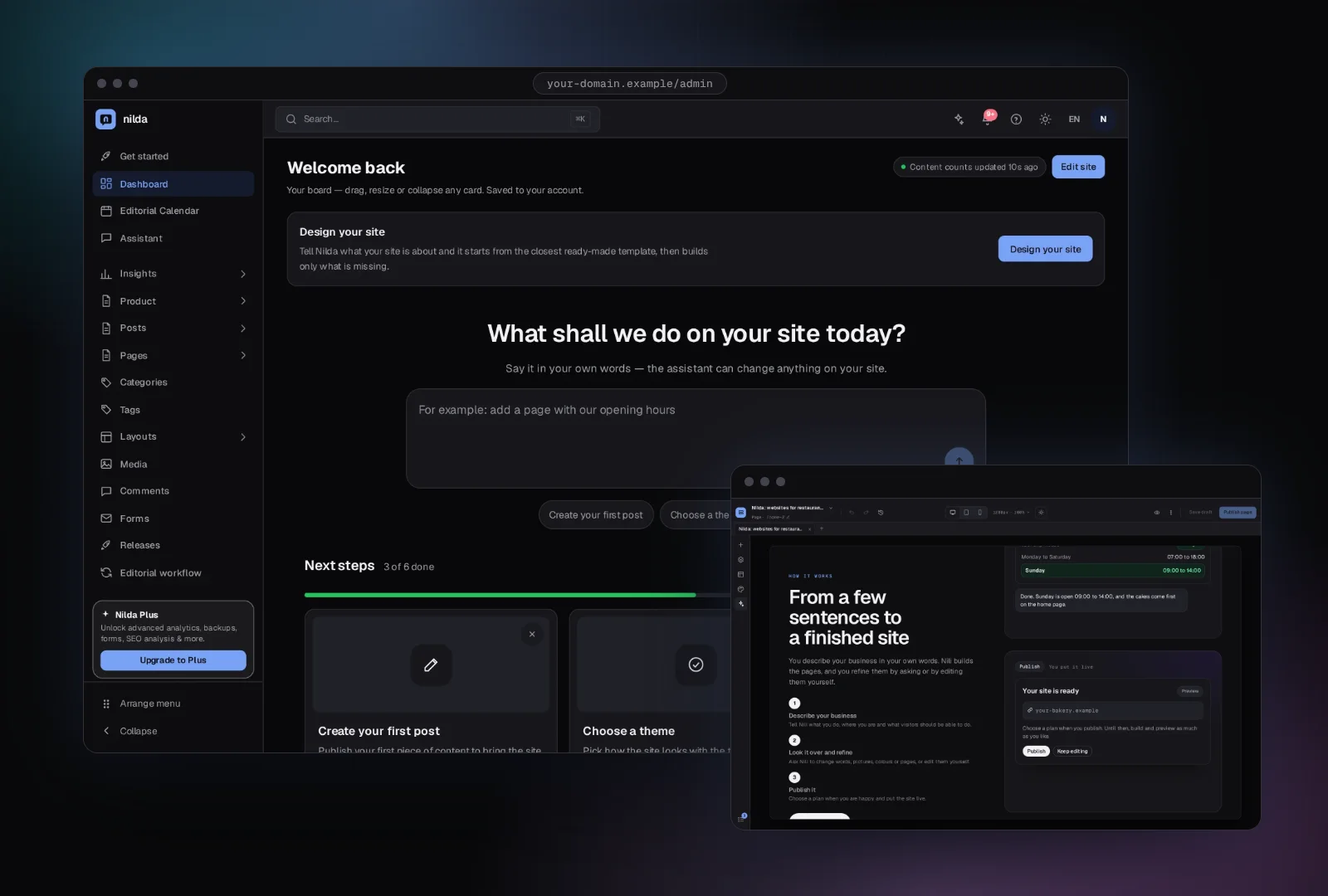
The same admin, at your own address
The dashboard and the page builder run on your own server, and your pages and data stay there.
What you get
Your server, your data, your rules
https://your-domain.example
Certificate from Let's Encrypt, renewed by itself
HTTPS by itself
Once your domain points at the server, Nilda gets a certificate from Let's Encrypt and renews it.
The daily update check sends only
Nilda version
Update channel
Random install ID
You keep your data
Your site and its data stay on your server.
Back up
Install the fix
Put back if it does not start
At most one security fix a night. You choose in the admin under Updates.
Updates you control
Security fixes install automatically by default, with a backup first and an automatic put-back if the new version does not start.
Questions
Questions about self-hosting
Something not covered here? Write to us and we answer by email.
How much RAM does the server need?
At least 2 GB. Nilda runs with its database, search and browser services, so it needs more than a bare web server.
Does it need Docker?
Yes. Nilda runs as a Docker Compose stack, and the installer offers to install Docker if it is missing.
How do updates work?
Security fixes install automatically by default, with a backup first. You can change this in the admin under Updates.
Can I add a shop or booking?
Yes, with plugins. The shop is a paid plugin and booking is a plugin too.
Prefer not to run a server?
Nilda Cloud hosts your site for you. Tell Nili about your business to begin.