Platform
One platform, on Cloud or on your own server
Nili builds and edits your site, and every page stays yours to change. Here is how it works underneath.
Plugins
Shop, booking and more, each its own program
Nili, the visual editor and MCP
Three ways in, one page
Your pages
Layout trees: structured data you own
The page builder
The page builder, as it is
Your page on the canvas, your pages and layers beside it, and one box where you tell Nili what to change. This page is open in it here.
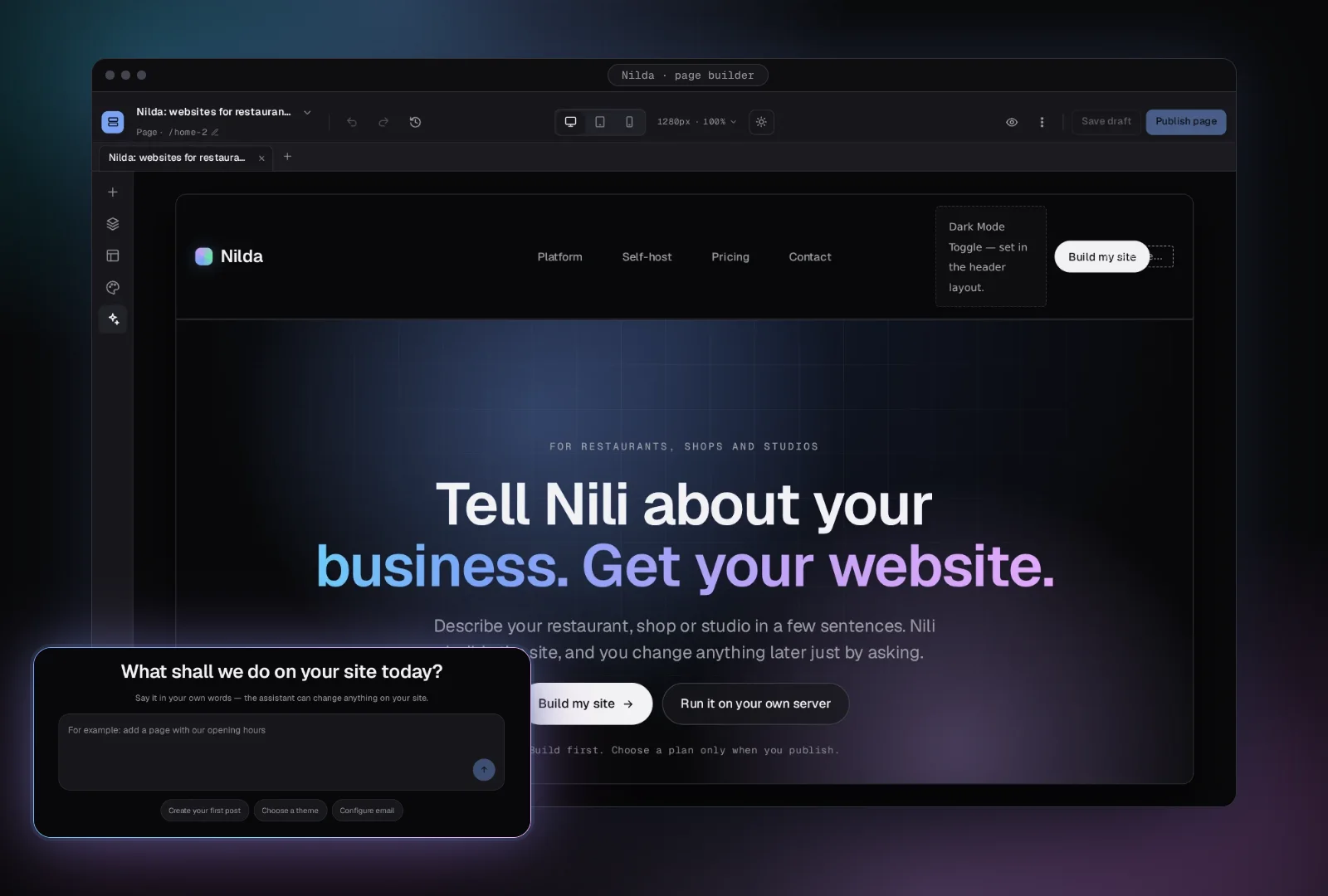
Underneath
What you notice, and what runs underneath
{
  "kind": "section",
  "children": [{
    "kind": "widget",
    "widget": "heading",
    "config": { "text": "Fresh pasta" }
  }]
}
Every page can be edited by you, Nili or another tool
Under the hood: pages, header, footer and popups are stored as layout trees, which are structured data. The visual editor, Nili and MCP all edit the same tree.
Shop
On
Booking
On
Newsletter
Add
Add-ons you switch on when you need them
Under the hood: plugins are separate programs that connect to Nilda through the plugin SDK over gRPC.
Desktop
Tablet
Phone
Readable on every screen
Under the hood: a palette is a set of named colour tokens with a light and a dark value, Nilda checks text contrast between them, and layouts adapt at phone, tablet and desktop widths.
Aa
A look you change in one place
Under the hood: fonts, colours, spacing and corner radius are design tokens, so changing a token restyles every page.
Shop plugin
Your products, orders and payments
Booking plugin
Tables, appointments and classes
Your sales
Stay yours. No share taken.
Shop and booking stay separate
Under the hood: the shop and booking are plugins. The shop is a paid plugin, and Nilda never takes a percentage of your sales.
Two ways to run it
Nilda Cloud or your own server
Nilda Cloud
- Hosting is handled for you
- Describe your business to Nili to begin
- Nili is built in
- Updates are handled for you
On your own server
- You run it on a Linux server
- One install command to begin
- You connect your own AI provider
- Security fixes install automatically by default, and you choose
| Nilda Cloud | On your own server | |
|---|---|---|
| Who runs it | Handled for you | You run it on a Linux server |
| How you start | Describe your business to Nili | Run one install command |
| The assistant | Nili is built in | You connect your own AI provider |
| Updates | Handled for you | Security fixes install automatically by default, and you choose |
| Shop and booking | Plugins you add | Plugins you add |
Your website is one conversation away.
Tell Nili about your restaurant, shop or studio.